Guide
TeslaCam Folder Viewer — Sentry, Saved & Recent Clips
Scan TeslaCam folders and regroup Sentry, Saved, and Recent clips into a browser that is easier to review.
What is TesClip and how does it work?
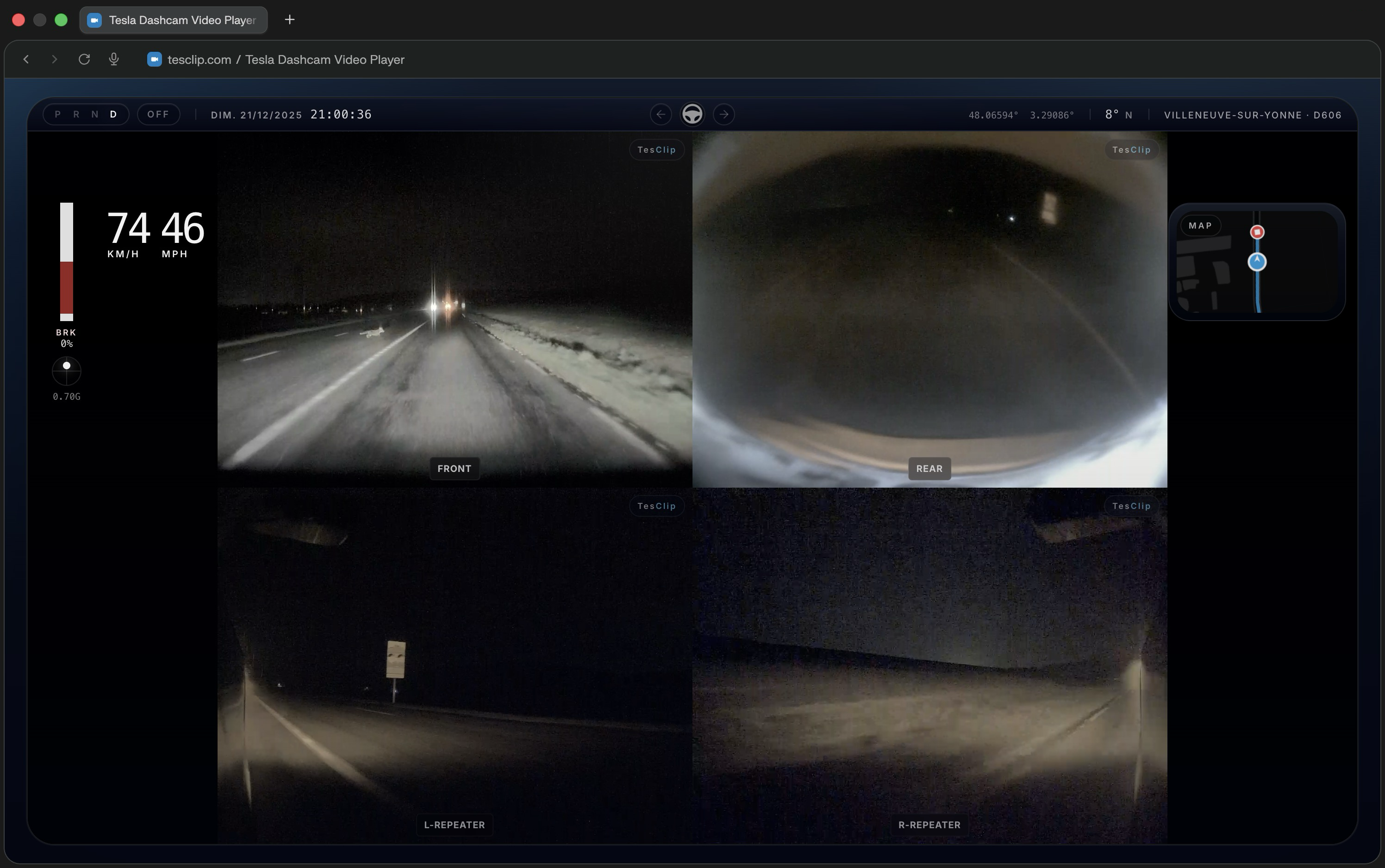
TesClip is a free web-based Tesla dashcam viewer that lets you watch your TeslaCam, Sentry Mode, and saved clips with real-time telemetry overlay. Simply select your TeslaCam folder from your USB drive, and TesClip will display all your videos with multi-camera view, speed data, GPS tracking, autopilot status, and interactive HUD overlay. All processing happens locally in your browser - no upload required.
What you can do
Review every relevant camera together
Watch front, rear, repeater, and pillar cameras in synchronized layouts so you can understand what happened around the car at a glance.
How it works
- 1
Select your TeslaCam folder
Plug in your Tesla USB drive and choose the TeslaCam folder in TesClip. Supported browsers can remember that folder for faster access later.
- 2
Browse organized clips
TesClip scans SentryClips, SavedClips, and RecentClips, builds clip groups, and shows thumbnails and metadata so you can jump to the right event.
Privacy first
Local processing only
TesClip processes footage locally and does not upload videos to its servers. Only an export you explicitly publish to YouTube is sent directly from your browser to Google and YouTube.
No account required
You can open, review, and export supported clips without creating an account or linking Tesla credentials.
Known limitations
- Very large clips or long export sessions can depend heavily on available device memory and browser performance.
Ready to try TesClip?
Open your TeslaCam folder to browse clips right away, or get in touch if you need help, want to report a bug, or have an idea for improving the viewer.
Open TeslaCam FolderNeed the full overview?
How to View Tesla Dashcam Videos — TeslaCam & Sentry Clips
Simply plug your Tesla USB drive into your computer, visit TesClip.com, click 'Open TeslaCam Folder', and select your TeslaCam folder. TesClip will automatically organize and display all your videos by type (SentryClips, SavedClips, RecentClips) with thumbnails and metadata.
GuideTesla Sentry Mode Viewer — Watch Sentry Clips Online
See all relevant cameras and quickly find the moment that triggered the recording.
GuideTesla Accident: How to Recover and Save Dashcam Video
After a Tesla accident, collision, impact or minor scrape, act quickly to preserve the original TeslaCam footage, find the right camera files and prepare a clear copy for your insurer.
Guide